
Sedgwick County Wanted Profiles
The Sedgwick County Sheriff posts an Outstanding Profiled Felons page on the county system. It works like a photo gallery. It is not a full warrant list. Some entries are current, and some go back years. The lineup changes whenever the Sheriff adds or removes a profile. There is no fixed public update schedule. One capture from August 22, 2026 counted 266 profile or featured entries, but that number describes one moment, not a standing total.
A profile shows the person was sought or highlighted at the time the entry ran. It says nothing about where they are now. Check the live page and a separate custody source before assuming any current status.
Want to see the photographs? View them on the official page, since images are not copied here. The live Sheriff profile list also carries tip instructions beside each record.
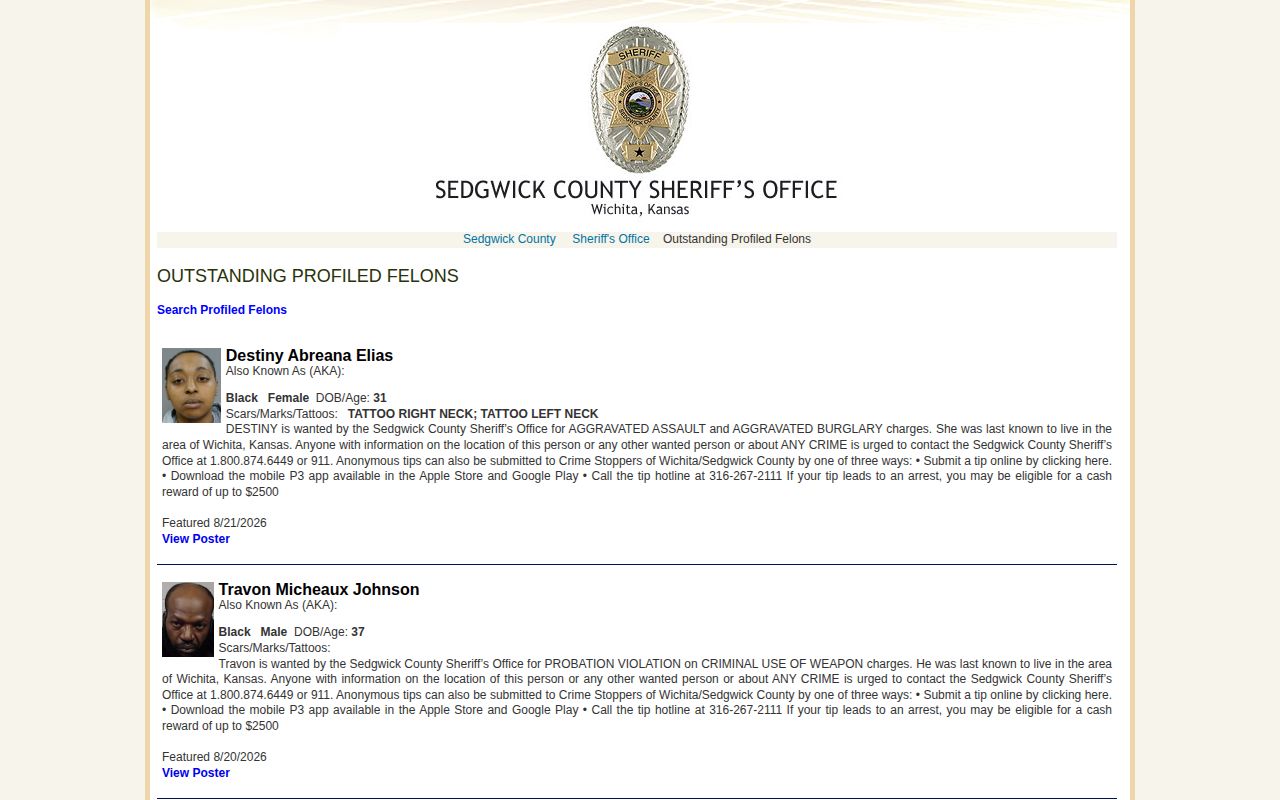
The interface itself tells the story. This is a shifting profile system run by the Sheriff, not a current jail roster, and reading it that way saves confusion.
Sedgwick Wanted Listing Fields
Every profile mixes identity details with the reason the Sheriff published it. Which fields appear depends on the entry. An old featured date proves nothing about today. Read the whole profile before matching any name or face.
| Field | What it shows |
|---|---|
| Name and alias | The published identity and any alternate name in the profile. |
| Photograph | The official profile image, not proof of current custody. |
| Sex, race, age or birth data | Identity details supplied on the profile. |
| Scars, marks and tattoos | Distinctive descriptors when the Sheriff lists them. |
| Reason or charges | The charge or warrant basis stated for the profile. |
| Last-known area | A reported location clue, not a current verified address. |
| Profile date | When the person was featured or entered on the page. |
A shared name is never a match by itself. Stack several identifiers together, then hand your tip to the Sheriff and let them sort it out.
Use Sedgwick Most Wanted Safely
Use the wanted list to recognize a face and report it safely. Never investigate anyone on it. Never follow, approach, or detain them. Keep the profile open while you call. That way the Sheriff knows exactly which entry you mean.
- Open the official Outstanding Profiled Felons page and select the relevant profile.
- Compare the name, alias, physical details, listed reason and profile date. Do not rely on a face alone.
- Check whether the page still carries the profile. A cached image or old post may be stale.
- If you recognize the person, use the Sheriff or Crime Stoppers route shown on the live page. Call 911 only for immediate danger.
- Do not approach. Give the agency the location, time and profile details, then follow its instructions.
If an arrest happens, the Sedgwick County custody and booking sources can show a separate current-custody record. A blank roster result does not mean the profile was cleared. The person may simply be held outside county custody.
Sedgwick Wanted Tip Routes
The Sheriff page routes wanted-person information through official phone lines and anonymous channels. Crime Stoppers Wichita/Sedgwick County takes anonymous tips. The P3 app handles submissions. Know what P3 is not. It is a tip channel, not a warrant search or custody tracker.
Wanted-person contacts
Sheriff line: 800-874-6449
Crime Stoppers: 316-267-2111
Emergency: 911
Judicial Warrant Section: 316-660-3960
Public materials mention rewards of up to $2,500 when a tip leads to an arrest. Eligibility rules, amounts, and payment methods can change. Trust the current profile page and Crime Stoppers terms over any secondhand figure. Never take a risk or make contact just to chase a payout.
Note: No verified Sheriff app delivers every Sedgwick booking photo or wanted update; P3 handles anonymous tips only.
Sedgwick Warrant Search Differences
Sedgwick County runs two different tools. Mixing them up causes real trouble. The wanted page is a curated set of photos and profiles. The official Warrant Search works by name. It reports active warrants held by the Sheriff. Most warrant results never become public wanted profiles. And a profile is no substitute for a name search.
| Source | Purpose | What it does not prove |
|---|---|---|
| Wanted profiles | Displays selected people, photos, profile facts and tip routes. | Current jail custody, conviction or every active warrant. |
| Warrant Search | Checks a name against warrants held by the Sedgwick County Sheriff. | Probable cause, a new arrest, guilt or warrants held elsewhere. |
| Court case search | Shows public filings, hearings and dispositions in a case. | Live Sheriff warrant status or present custody. |
The search comes with a warning. A result is not confirmed on its own. Write down the date and time of your search. Then step back. Do not confront the person or try to predict an arrest.
Check Sedgwick County Warrants
The warrant tool needs a last name and a first name. At least the first letter of the first name must go in. It reports possible active warrants held by the Sedgwick County Sheriff. Common names bring back broad results. Those need a careful identity check and confirmation from the Judicial Warrant Section.
- Open the official Sheriff warrant page and continue to its search application.
- Enter the known last and first name. Use enough letters to reduce mistaken matches.
- Read the warning and compare the returned identity information. Save the retrieval date and time.
- Confirm a safety-sensitive or court-specific question through the Judicial Warrant Section or the responsible court.
- If the warrant concerns you, contact a lawyer or the named court and follow official withdrawal or surrender directions. Do not rely on private indexes.
Need case details beyond warrants? Two offices can help. The 18th Judicial District Records Department and the Kansas case portal both locate public cases, hearings, and filings. Neither confirms warrants in real time. Sealed, juvenile, confidential, and expunged matters stay out of public view.
The official search and warning appear in the captured county interface.
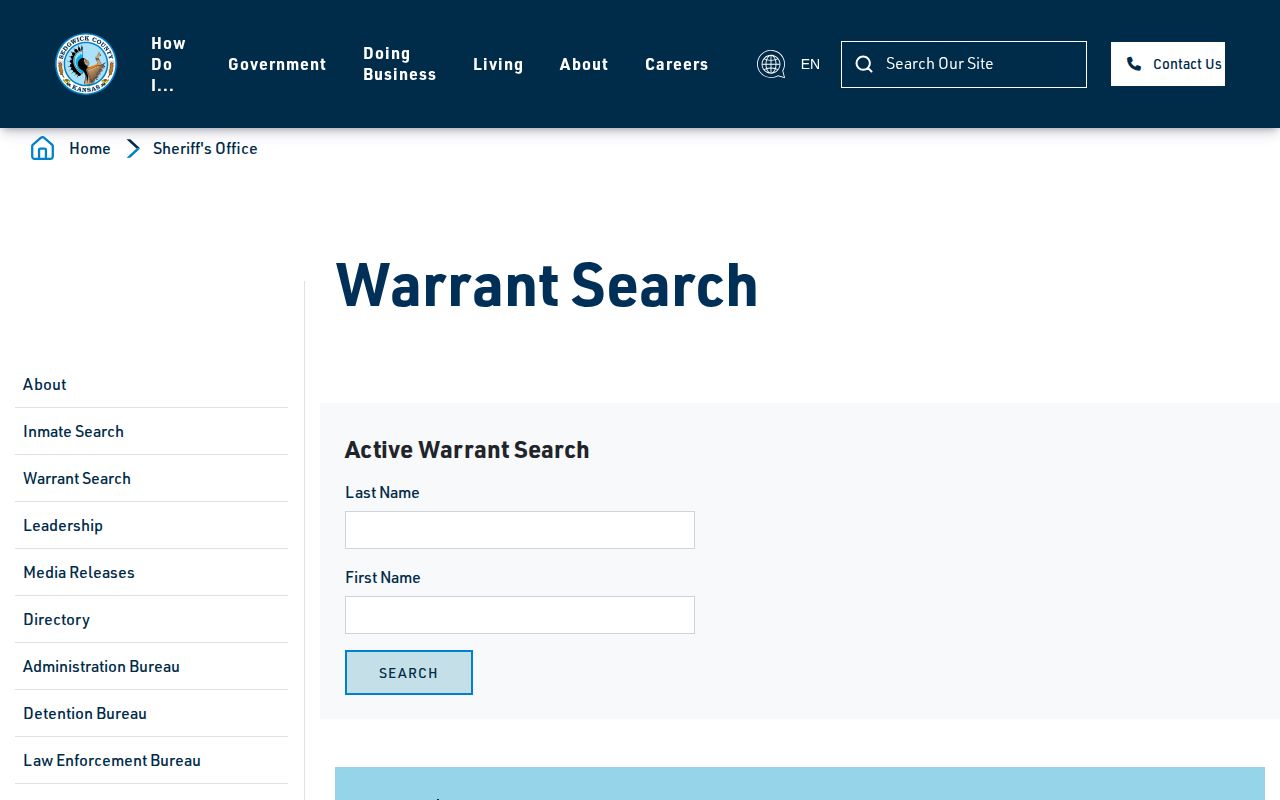
That warning says it plainly. Confirm any search result through official channels, and never let a result push you toward a confrontation.
Sedgwick Warrant Types Explained
Withdrawal guidelines sort cases by prefix and court type. The key question is which court controls the matter, not how a private page labels someone. A warrant stays active until a judge withdraws it.
| Warrant context | Safe resolution route |
|---|---|
| District criminal case | Follow the case-prefix instructions and contact the District Court or counsel. |
| Traffic or municipal matter | Use the court named in the official instructions. |
| Civil or domestic-relations matter | Contact the responsible division because procedures differ from criminal cases. |
| Other-agency warrant | Confirm with the agency or court that issued it; the county search may not include it. |
The Sheriff's warrant-withdrawal guidelines list current court locations, hours, and case-prefix routes. Procedures change, so read that page directly. A lawyer can also clarify the right court path. There is no shortcut here; nothing on the page cancels a warrant without judicial action.
Sedgwick Wanted Status Checks
Each system answers a different question. The same name can show up in one place and be missing from another. A wanted profile tells you one thing: custody has not been confirmed. A warrant can sit active before an arrest, after a release, or while a case moves through the courts. A county inmate result means the Sheriff says that person is in custody right now. A court docket is different again. It tracks public case events, not where someone is held.
Once an arrest is reported, work the sources in order. Start with the wanted profile. Then check the county custody search. Finally, pull the court case. Booking charges are only a starting point. Prosecutors can file something different, and filed charges can be reduced or dropped later. The account worth trusting is the final disposition, once it becomes public.
Save the source name and the time you pulled each result. If a court search comes back empty, the only honest statement is that no matching result was found. An empty search proves nothing else.